
SigGate Firmware 1.1.0.0 Release

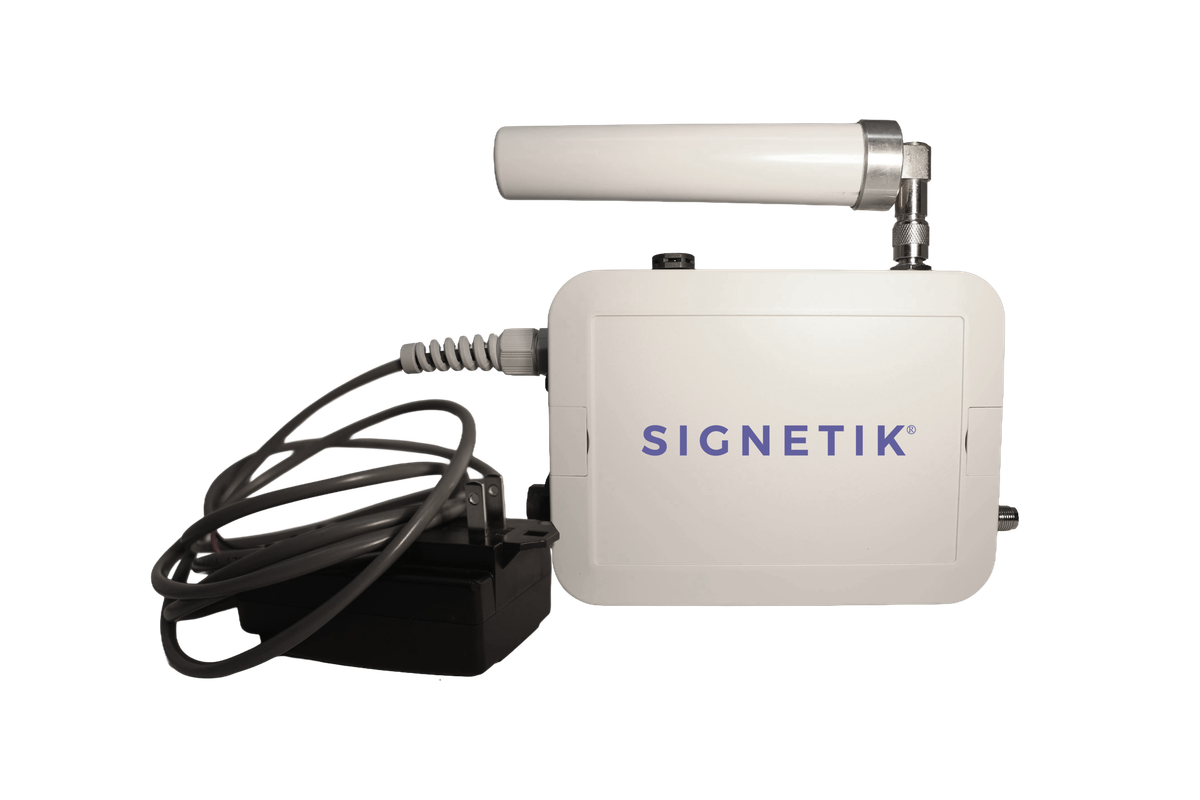
We are pleased to announce the release of SigGate firmware version 1.1.0.0, bringing LoRa Basics Station support, flexible network transport options, and
significant reliability improvements to the SigGate LoRaWAN gateway platform.
LoRa Basics Station
SigGate now supports the LoRa Basics Station protocol alongside the legacy Semtech UDP packet forwarder. Basics Station is the modern standard for LoRaWAN gateways, offering a secure, authenticated WebSocket connection directly to the LNS, eliminating the need for unencrypted UDP traffic on your network.
- Authenticated connection using an LNS API key
- TLS-encrypted transport to the network server
- Compatible with The Things Network, ChirpStack, and any standards-compliant LNS
- Automatic CUPS/MUXS URI resolution or direct MUXS connection
Flexible Network Transport
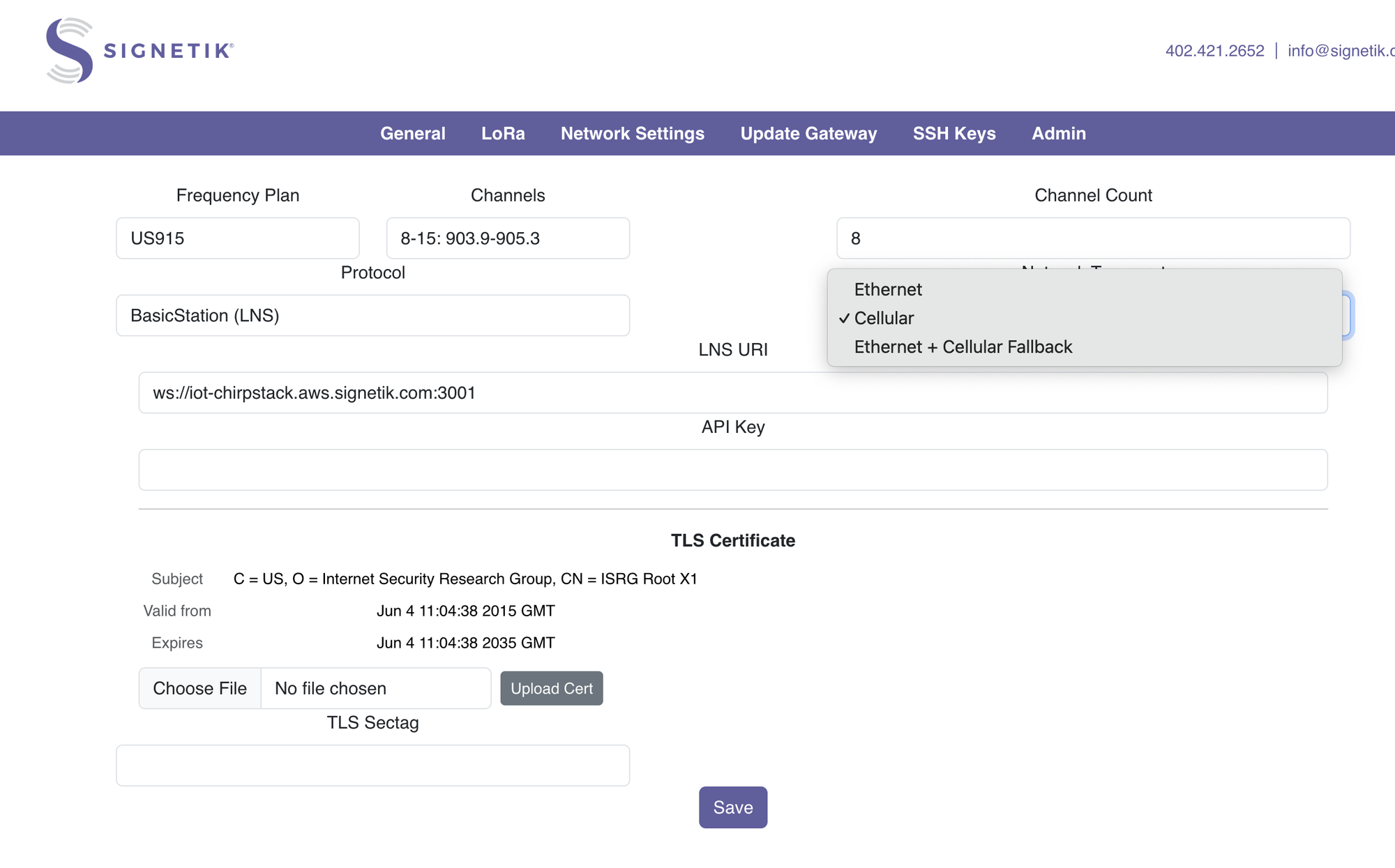
SigGate 1.1.0.0 introduces three network transport modes, configurable from the web interface or configuration file:
Ethernet
Direct wired connectivity to your LNS. Low latency, high throughput, ideal for fixed installations with reliable network infrastructure.
Cellular
Standalone cellular backhaul via the integrated modem. Deploy SigGate anywhere without running Ethernet - parking lots, remote sites, rooftops, and
industrial facilities where wired connectivity is unavailable or impractical.
Ethernet with Cellular Fallback
The best of both worlds. SigGate operates on Ethernet under normal conditions and automatically switches to cellular when the wired connection is lost.
Configurable fallback timeout and Ethernet retry interval ensure seamless, unattended recovery when connectivity is restored, without operator
intervention.
Reliable Packet Delivery
SigGate 1.1.0.0 introduces a persistent, acknowledged delivery queue for uplink packets:
- Each uplink is queued and held until the network server acknowledges receipt
- Packets are retried automatically on transient connection failures
- Queue state survives brief connectivity interruptions
- Fast-mode threshold: if the queue approaches capacity under sustained load, the gateway continues receiving new packets rather than stalling -
prioritizing fresh data while retrying in the background
The result is dramatically reduced packet loss during network interruptions, making SigGate suitable for mission-critical sensor deployments where data
integrity matters.
Modem Self-Healing
The cellular modem subsystem has been redesigned for long-term unattended operation:
- Automatic recovery from dead TCP sockets - if the modem reports a broken connection, SigGate closes the socket, resets the modem hardware, and
reinitializes without operator intervention - Indefinite retry on modem initialization failure - the modem lifecycle never gives up; it sleeps and retries until the modem comes online
- cell_service daemon - modem management runs in a dedicated process, isolated from the LoRa packet forwarder, so a modem reset does not interrupt radio operation
Web Interface
A browser-based configuration and monitoring interface is updated and improved:
- Configure radio parameters and gateway settings
- Select forwarding protocol (Basics Station or Semtech UDP) and network transport
- Set LNS URI, API key, TLS sectag, and fallback timing
- View gateway status and network information
- Change the admin password
- SSH key management or removal
The web interface is designed for local network access during commissioning and can be disabled before production deployment for security. You are able to lock down the gateway so there is no access, which requires opening the case, attaching a serial cable, and reflashing fully to gain access.
Upgrade
Firmware updates can be applied directly from the gateway's web interface, no SSH access or command-line tools required.
- Open a browser and navigate to the gateway's local IP address
- Log in with your admin credentials
- Go to the Firmware page and upload the .txz package file
- The gateway will apply the update and reboot automatically
Configuration is preserved across upgrades.
SigGate Manager
Managing a gateways during production is straightforward with SigGate Manager, our desktop tool for gateway discovery and fleet operations.
- Discover gateways on your local network, no need to know IP addresses in advance; Manager finds every SigGate on the subnet and identifies each by
serial number and hostname - Push firmware updates to gateways from a single interface, without touching each device individually, before they leave the factory
- Check status, see which gateways are functioning, their firmware version, and other serialized information.
SigGate Manager is available for Windows and macOS.
See https://www.signetik.com/product/GW-LRNx-ODC for software releases.